HEIC to JPG Converter
Convert your iPhone photos to JPG format instantly and privately
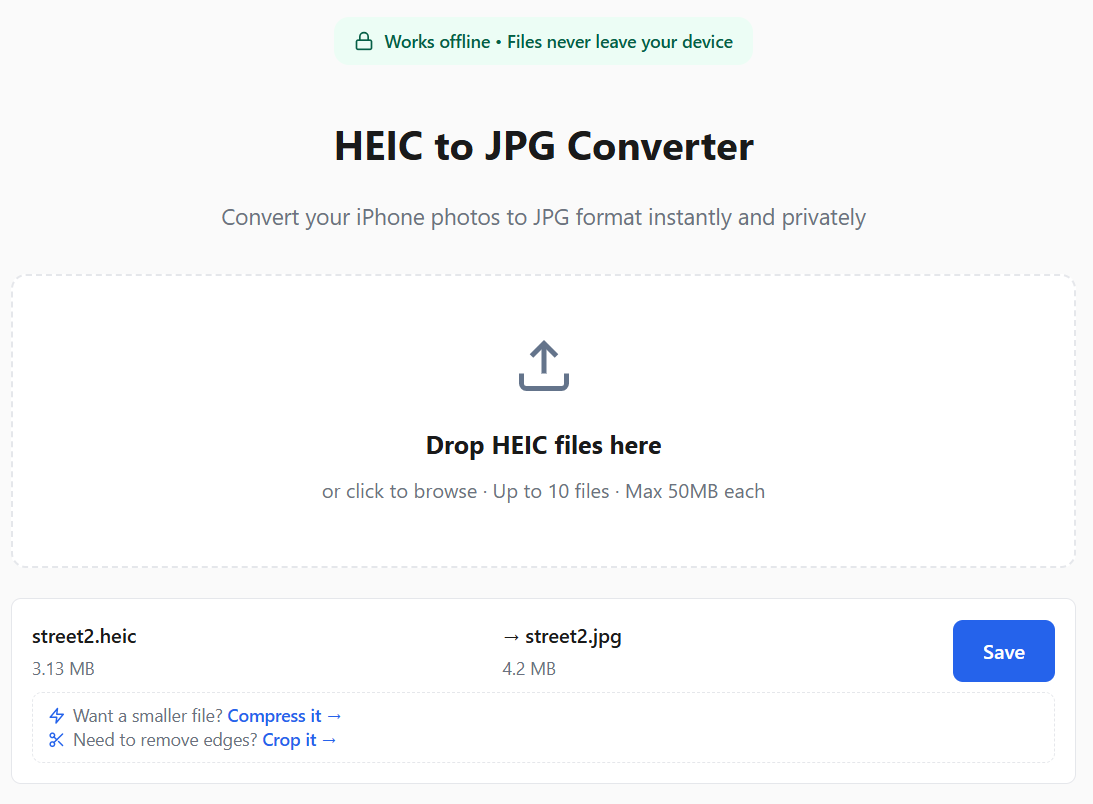
Drop HEIC files here
or click to browse
Frequently Asked Questions
How do I use this HEIC to JPG converter?
Just three steps:
- Click the drop zone above or drag your HEIC files onto it
- Wait a few seconds for automatic conversion
- Click "Save" to download each JPG
For a detailed walkthrough with platform-specific tips, see our complete guide to converting HEIC to JPG.
How do I convert HEIC to JPG on Mac?
Two ways, both fine. Built-in: open the photo in Preview and export it as JPG — one file at a time. Batch: drop your .heic files on this page — it runs entirely in your Mac's browser (Safari, Chrome, Firefox, or Edge), converts many files at once, and never uploads them. No app install needed. For a full walkthrough with screenshots, see our HEIC to JPG conversion guide. Printing or submitting a document? Use our free HEIC to PDF converter instead.
How do I convert HEIC to JPG on Windows 10 or 11?
Windows can't open HEIC out of the box — you'd install the free HEIF Image Extensions from the Microsoft Store (many HEIC files also need the paid HEVC extension). The lighter option is a converter: drop your HEIC files on this page and each one becomes a JPG right in your browser — nothing is uploaded, nothing to install. Works in Chrome, Edge, and Firefox. More detail in our HEIC to JPG guide.
How do I convert HEIC to JPG on iPhone?
The built-in route (iOS 16 or later): in the Files app, long-press the HEIC file, tap Quick Actions, then Convert Image — one file at a time. For several photos at once, open this page in Safari and drop the files: the batch converts in your browser and nothing is uploaded to any server.
Which platforms does this converter support?
Works on any device with a modern browser — Windows, Mac, Linux, iPhone, and Android. No software download or app install needed. Just open this page in Chrome, Safari, Firefox, or Edge and start converting.
All processing happens locally in your browser, so it works offline too.
What is HEIC format?
HEIC (High Efficiency Image Container) is Apple's default photo format since iOS 11. It uses HEVC compression to reduce file sizes by 40-50% compared to JPG while maintaining the same quality. This converter also works with .heif files, which use the same HEIF container format. Want to learn more? Read our complete guide to HEIC to JPG conversion.
Why are my iPhone photos HEIC instead of JPG?
Since iOS 11, iPhones shoot in HEIC — the camera setting Apple calls High Efficiency — to save storage: roughly 40-50% smaller than JPG at the same quality. Want JPG going forward? Open Settings → Camera → Formats → Most Compatible and new photos will be JPG (at larger file sizes). Photos already taken stay HEIC — convert those with the tool above. Our HEIC guide covers this in depth.
Should I convert HEIC to JPG or PNG?
JPG for photos you'll share or upload — smaller files, accepted everywhere, visually identical at normal quality. PNG when you need lossless output: screenshots, text, or images you'll re-edit — PNG never re-compresses, so there's no generation loss, at the cost of bigger files. You can convert HEIC to PNG with our HEIC to PNG converter — same batch processing, same privacy.
What if the converted JPG is too large?
HEIC uses more efficient compression so JPG files are often larger. If you need the entire photo, use our image compressor to reduce file size while keeping the full image. If you only need part of the photo, use our crop tool to trim away unwanted areas and reduce size at the same time.
How many HEIC files can I convert at once?
You can batch-convert multiple files at once — there is no fixed file-count cap and no daily limit: the exact file and megapixel limits adapt to your device's memory (shown below the drop zone). Each file is processed in your browser — no uploads needed.
Does the converted JPG keep my photo’s EXIF metadata?
No — and that's good for privacy. Converting re-encodes the image pixels, and this converter's JPG output carries no EXIF metadata: no GPS location, no camera model, no timestamp. Share the JPG and you are not sharing where the photo was taken. (Measured for this converter's output specifically.)
What's the file size limit?
The file size limit adapts to your device’s memory — typically 50 MB or more on modern hardware.
Is this converter really private?
Yes! All conversion happens locally in your browser using the heic2any library. Your photos are never uploaded to any server.
Is it safe to use this HEIC to JPG converter?
Yes. The conversion engine is heic2any, an open-source library (built on libheif) that runs entirely in your browser — your photos never leave your device, and the converted JPGs are generated locally. Nothing to install, no account, no watermark.
Does this work offline?
Yes! Once you've visited the page, the converter works without internet. All processing happens locally in your browser, so you can convert HEIC to JPG anywhere — even on a plane.